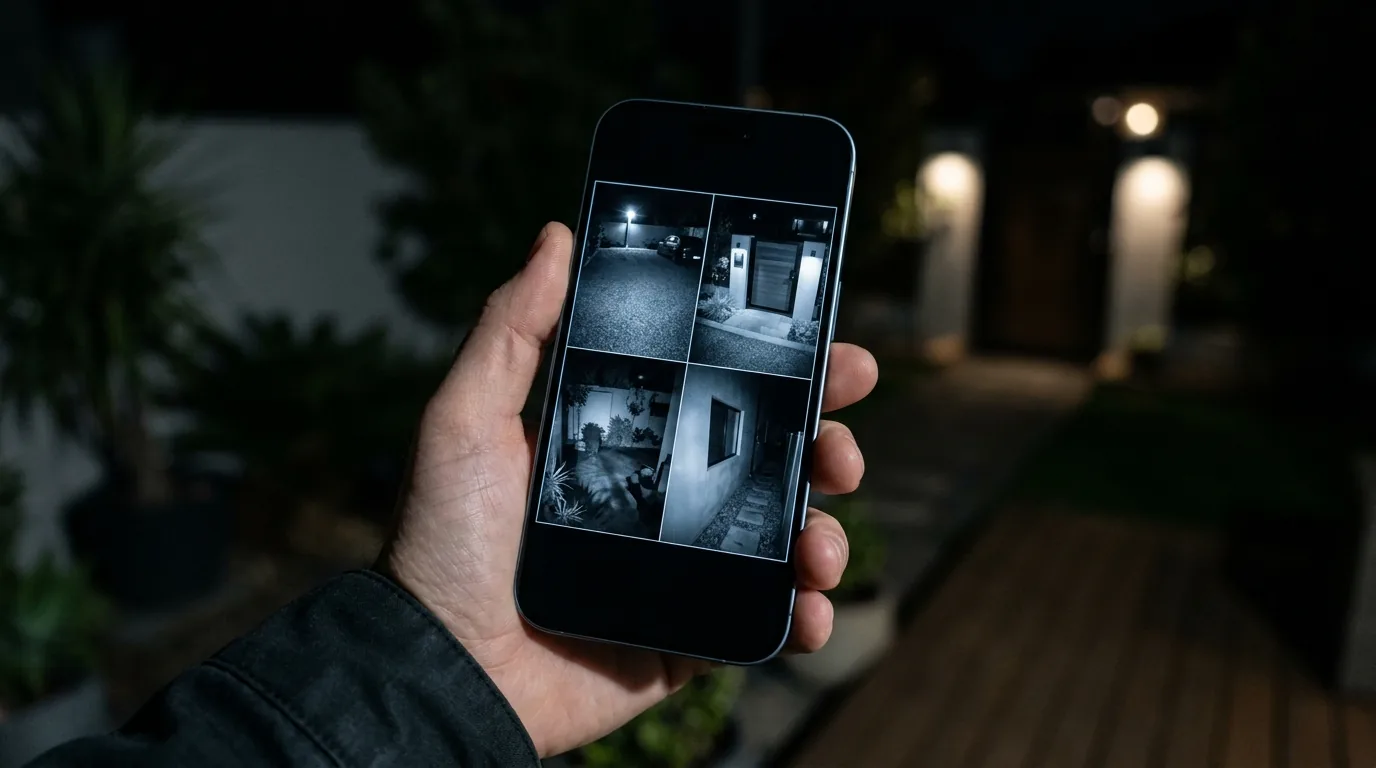
Phone Viewing · Multi-Site · Zero Monthly Fees
Remote CCTV Monitoring in Cebu
Watch live 4K cameras, scrub recorded playback and receive person-or-vehicle alerts from anywhere in Cebu or abroad on iOS, Android, Windows and Mac. Included free on every new build or configured on your existing NVR.
- ₱0 / moMonthly app fee
- ₱350Existing app setup
- Multi-SiteAll branches, 1 login
- EncryptedPer-staff role locks
Live phone and desktop view
How P2P and local remote viewing work without monthly fees
Every NVR or DVR installed by Cebu Security includes encrypted peer-to-peer remote access at ₱0 per month. Once plugged into PLDT, Globe, Converge or Starlink fiber, your recorder registers with the manufacturer relay (Hik-Connect, DMSS, VIGI or EZVIZ) under your private owner email.
You keep full ownership without recurring cloud storage subscriptions or expensive static public IP add-ons. Video stays physically locked on your on-site surveillance-grade hard drive while only requested frames stream encrypted to your phone or office laptop.
Single home to multi-branch
Phone app, desktop VMS and wall-monitor options
| Viewing Client | Camera & Branch Limit | Best Features | Ideal User |
|---|---|---|---|
| Mobile App (iOS & Android) | 1 to 16 live tiles per screen; multiple sites | Push AI alerts, timeline scrubbing, quick MP4 clip sharing | Homeowners, OFWs & on-the-go shop owners |
| Desktop VMS (Windows / Mac) | 64+ live streams across multiple Cebu branches | Dual monitors, fast USB/MP4 backups, operator audit trails | Regional managers, HR & multi-branch retail HQ |
| Guardhouse HDMI / Matrix TV | 4 to 32 continuous tiles on wall screen | Zero computer crashes, simple mouse layout switching | Subdivision guardhouses, warehouses & clinics |
| Restricted Sub-User Login | Selected branches & channels only | Live view without playback delete or password reset rights | Branch supervisors, pharmacists & night staff |
Owner control and privacy
Setting staff view permissions without exposing sensitive areas
Keeping master recovery tied strictly to the owner
Too many businesses let an employee or former contractor register the NVR under a personal mobile number. We bind admin recovery to your company email and hand over printed admin and verification codes at sign-off.
Masking cash vaults and private offices from staff tablets
Front-counter tablets or shift supervisors can monitor customer aisles and loading bays while owner vaults, HR desks and residential bedrooms stay hidden from shared accounts.
Revoking ex-employee access in two taps
Rather than sharing one universal admin password that compromises your entire branch network when staff leave, each manager gets an individual sub-account you can remove anytime.
Privacy rules on shared remote viewing
Under the Data Privacy Act (RA 10173) and NPC rules, restrict recorded clip downloads to authorized officers and avoid distributing workplace footage onto public social chats. This is general information, not legal advice.
Fixing offline errors
Why your CCTV app says offline and how we restore it
ISP modem swaps from PLDT, Globe or Converge
When your internet provider upgrades an optical modem, the local subnet often shifts from 192.168.1.x to another range, leaving a static NVR unreachable. Switching to reserved DHCP and matching DNS restores connection immediately.
Unbinding an NVR locked to a previous installer
Buying a business or switching contractors often leaves the recorder trapped on an unavailable phone account. We pull the official manufacturer unbind code, reset admin passwords cleanly and transfer ownership to you.
Dual-stream settings for slow 4G mobile data
Streaming 8 or 16 main 4K feeds freezes on congested cellular towers downtown. We tune substreams with H.265 compression so multiview grids snap open in seconds while recording remains crisp on disk.
Starlink and cellular CG-NAT uplinks
Legacy port forwarding breaks behind satellite or LTE carrier NAT. Updated firmware allows encrypted P2P cloud relay to punch through Starlink and 4G routers cleanly.
App setup and diagnostics
Published rates for remote CCTV setup and recovery
Every new CCTV installation from Cebu Security includes multi-device remote app configuration at ₱0 extra. If you already have working cameras or an older recorder that went offline, published labor rates are transparent upfront:
- Included (₱0): Phone, tablet and desktop app setup on all new Home Starter (₱18,900), Home Plus (₱39,900), Business Pro (₱89,900) and Custom installs.
- ₱350 per recorder: Existing CCTV phone / remote app setup once network hardware is working.
- ₱350 per recorder: NVR or DVR password reset and previous-account unbind handover.
- From ₱500: On-site network diagnostic when cut Ethernet cables, dead router ports or NVR failures block online status (credited toward repair).
Compare full repair items on our repair price list or view complete camera bundles on Cebu pricing.
Multi-device viewing offer
What comes in our remote viewing configuration
Installing the phone app takes minutes, but slow lag, false rain notifications and lost passwords frustrate owners for years. We lock down speed, alerts and account control cleanly.
Zero-fee multi-device monitoring setup
Fast mobile grid loading, filtered human alerts and locked owner recovery verified across your phones and laptop.
- ✓H.265 dual-stream optimization for fast LTE loadingBalance substream bitrate so 8 to 16 cameras open quickly on mobile data without downgrading stored 4K video.₱500 value
- ✓Owner recovery lock and per-staff branch permissionsSecure master account under your personal email and assign separate view-only accounts for managers.₱700 value
- ✓Human and vehicle push-alert zone filteringMask passing street traffic and swaying trees so your phone only pings on real courtyard or door activity.₱500 value
- ✓BONUSQR recovery card and 1-page clip export cheat sheetKeep admin login details, NVR serial QR and 30-second WhatsApp clip download steps in your safe.₱400 value
Fixed-price guarantee
Whether it is ₱350 app setup or ₱500 diagnostic credited to repair, you approve every peso before we touch your recorder.
30-day re-aim guarantee
If motion-alert detection zones ping repeatedly on street shadows or tree leaves during the first month, we retune them free.
Stuck viewing “Device Offline” after a recent router replacement or staff handover? Message your recorder brand on WhatsApp so we can dispatch a tech or check compatibility the same day.
Router check to live alerts
Steps to get every camera streaming reliably to your phone
- Verify router uplink and NVR ownership status
Check LAN cabling, IP gateway settings and whether the recorder is bound to an old account.
- Confirm transparent setup or reset rate
Proceed at ₱0 on new builds, ₱350 for app setup, ₱350 for password reset or ₱500 for full diagnostics.
- Tune dual streams, DNS and motion zones
Enable P2P cloud encryption, optimize mobile substreams and trim noisy street trigger areas.
- Verify cellular playback and hand over QR card
Test live viewing and MP4 clip exports on mobile data off WiFi before leaving your site.
Remote viewing questions
Questions Cebu owners ask about remote CCTV monitoring
Do I pay a monthly fee to watch my Cebu Security cameras from abroad?
No. Official Hikvision Hik-Connect, Dahua DMSS, Uniview and VIGI viewing apps carry ₱0 monthly subscription charges for live viewing, playback and alerts anywhere in the world.
Why did my CCTV phone app stop working after PLDT, Globe or Converge changed my router?
A replacement modem changes your local IP gateway or loses the short Ethernet patch cord to the NVR. We restore DHCP, DNS and P2P cloud status cleanly in one visit.
Can I watch multiple stores or branches on one phone or laptop screen?
Yes. One owner login binds NVR recorders from Cebu City, Mandaue and Mactan together on Hik-Connect or desktop VMS software for side-by-side multi-site viewing.
How can I fix a system bound to an old technician’s phone number or email?
Our ₱350 NVR/DVR password reset service exports an official brand unbind file so we transfer full ownership and recovery strictly to your personal email address.
Does remote viewing eat up slow mobile data when I open 8 or 16 cameras?
No, when configured properly. We set your NVR substreams to efficient H.265 resolution so grid views load fast on 4G LTE while recording stays full 4K on the drive.
Can I let a store manager watch live cameras without seeing playback or settings?
Yes. Owner accounts issue restricted sub-user invitations for specific branches, blocking password changes, clip deletion and private back-office channels.
Do I need a static public IP address from my Cebu fiber provider?
No. Encrypted P2P relay works behind standard residential PLDT, Globe, Converge and Starlink CG-NAT connections without paying for a static IP add-on.

Get your cameras online today.
Tell us your recorder brand or ISP router change and we will book a same-week setup or full site survey across Metro Cebu.